

How to Design and Hang Custom Photo Canvas Wall Art
Ever stared at a blank wall and felt that something's missing, like the room's waiting for a personal touch?
You know that moment when a favorite photo – maybe your kid's goofy grin or that sunset you chased on vacation – just screams to be seen, not hidden in a phone gallery.
That's where custom photo canvas wall art slides in, turning a simple snapshot into a gallery‑ready piece that feels both intimate and polished.
And the best part? You don’t need any art degree or fancy equipment; just a digital file and a sprinkle of imagination.
Imagine walking into your living room and spotting a canvas of your family’s candid beach day, colors popping, texture inviting your fingertips.
Does that sound a bit too pricey or complicated? Not at all – print‑on‑demand services make it affordable, with options to size, frame, and even add a soft‑mat finish.
We’ve all been there, scrolling past endless décor ideas and thinking, ‘Will this actually look good in my space?’ Let’s break that doubt down.
First, pick a photo that already tells a story – something that makes you smile every time you glance at it.
Next, think about where it will live: a hallway that needs a splash of color, a bedroom that craves a calm vibe, or a kitchen where a breakfast memory can start the day.
Then, choose a canvas size that matches the wall’s scale; a too‑small piece can feel lost, while an oversized one makes a bold statement.
And finally, trust the printing process – modern canvas printing captures details, from the tiniest laugh line to the soft gradients of a sunrise.
So, if you’ve been waiting for an excuse to finally bring those cherished moments out of the drawer, consider this your sign.
Let’s dive in and explore how to pick the perfect photo, size, and style, so your custom photo canvas wall art becomes the centerpiece you’ve been dreaming of.
TL;DR
If you’ve been dreaming of turning a favorite snap into a personal masterpiece, custom photo canvas wall art lets you pick the perfect photo, size, and style without breaking the bank.
We’ll walk you through choosing a story‑telling image, matching it to your space, and trusting modern printing to capture every detail, so your walls finally feel truly yours.
Step 1: Choose Your Photos and Design Concept
First thing’s first – you need a photo that actually makes you smile when you walk past it. Think about that goofy grin your toddler flashed at the beach, or the golden hour shot from your last hike. If the image already feels like a story, you’re already halfway there.
But a picture alone isn’t enough. The design concept – whether you want a sleek gallery‑wrap, a soft‑mat finish, or a textured look – will shape how the canvas lives in your room. Let’s break it down so you don’t end up with a piece that looks out of place.
1. Scan for storytelling power
Ask yourself: does this photo have a clear focal point? A single subject, like a smiling face or a striking landmark, works best because the eye knows where to land.
Real‑world example: Jenna turned a blurry group shot from her family reunion into a stunning canvas by cropping to the moment her grandson blew out candles. The cropped image now draws attention without the clutter of background faces.
Tip: If the original file is under 2 megabytes, most services can still upscale it, but aim for at least 300 dpi for crisp details.
2. Match the mood to the room
Take a quick stroll around the space where the canvas will hang. Is the room bright and airy, or cozy with warm lighting? A vibrant beach photo feels right in a sun‑filled kitchen, while a muted black‑and‑white portrait suits a bedroom with soft linens.
One of our favorite tricks is to photograph a small patch of the wall with your phone, then use that swatch as a background in a photo editor. If the canvas blends, you’ve got a winner.
For a bold statement, consider a large‑format print (up to 72" wide) that fills an entire wall. CanvasPop notes that they can print “up to six feet wide” and help you choose the best dimensions for your image according to their size guide. A big piece can turn an empty hallway into a gallery.
3. Choose a design style
There are three main routes:
- Gallery‑wrapped – the canvas is stretched over a thin frame and the edges show the image or a solid color. Ideal for modern looks.
- Framed – a classic wood or metal frame adds depth and a finished feel.
- Textured DIY – you can add joint compound or acrylic texture for a tactile effect. Olive & June shows how simple joint‑compound tricks can give your canvas a three‑dimensional vibe in a DIY tutorial.
Think about the vibe you want. If you love a clean, museum‑style feel, stick with gallery‑wrap. If you want a cozy, lived‑in look, a wood frame or textured surface adds personality.
4. Test with a digital mock‑up
Most print‑on‑demand services, including CanvasPop, will send you a free digital proof before the canvas goes to print. Use that proof to check color balance, cropping, and edge bleed. If you don’t hear back in 48 hours, many providers will auto‑approve – so be proactive and reply quickly.
Pro tip: download the proof, open it in a free image editor, and overlay a rectangle that matches your wall dimensions. This visual check saves you from ordering the wrong size.

Now that you’ve zeroed in on a photo and a style, the next step is figuring out the perfect size for your space. Stay tuned – we’ll walk through measuring, scaling, and ordering so your canvas lands just right.
Step 2: Select Canvas Size and Layout
Now that your photo and style are locked in, the next puzzle piece is figuring out how big the canvas should be and how you’ll arrange it on the wall. It’s easy to get stuck wondering, “Should I go big or stay modest?” The answer lives in the space you have and the story you want the art to tell.
Measure the wall, not the room
Grab a tape measure and jot down the width and height of the wall you’ve earmarked. A quick rule of thumb: your canvas should occupy about 60‑70% of the wall’s width if it’s a single piece. That leaves breathing room on either side and keeps the room from feeling cramped.
For example, Jenna’s hallway is 96 inches wide. She chose a 30×40 inch canvas (about 62% of the wall) and added a subtle 2‑inch gap on each side. The result feels balanced without overwhelming the narrow space.
Pick the right size for the image’s detail
If your photo is a sweeping landscape with lots of texture, you’ll want a larger canvas to let the details breathe. Sofia Ribeiro recommends a 24×36 or larger format for single‑image statements, especially when the wall is a focal point.
Conversely, a cozy family portrait works nicely in a 20×30 or even a 16×20 if you plan to pair it with other pieces. The key is matching the image’s resolution to the print size – aim for at least 300 dpi for crisp results.
Layout options: solo, duo, or gallery
Think about whether you want one bold centerpiece or a curated grouping. A popular trio looks like this: a central 20×30 canvas flanked by two 16×20 pieces. The middle piece draws the eye, while the side pieces add context – perfect for a vacation series or a newborn timeline.
Another favorite is a square grid. Two 24×24 canvases bookending a larger 28×38 piece can create a dynamic visual rhythm, especially in modern interiors. If you’re leaning toward a square arrangement, browse the WALLARTS – heartful.gifts collection for inspiration.
Practical step‑by‑step checklist
- Measure the wall’s width and height.
- Calculate 60‑70% of the width for a single canvas.
- Match the photo’s resolution to the planned size (≥300 dpi).
- Decide on solo vs. multi‑piece layout.
- Sketch a quick mock‑up on paper or use a free online tool.
- Check spacing – leave 2‑4 inches between pieces and from floor/ceiling.
Pro tip: take a photo of the empty wall on your phone, import it into a free editor, and overlay rectangles that represent your chosen canvas dimensions. Seeing the mock‑up at eye level helps you spot any awkward gaps before you order.
When size feels uncertain, rely on data
Shutterfly notes that “standard 20×30 prints fit just about anywhere” and work well as a standalone statement or as part of a trio according to their size guide. If you’re unsure, start with that sweet spot and adjust up or down based on the wall’s proportion.
Remember, you can always expand later. Many families begin with a 20×30 canvas of a favorite beach day, then add a 16×24 of the sunset and a 16×24 of a candid family laugh. The collection grows organically, and each new piece feels like an extension of the original memory.
So, grab that tape, sketch your layout, and let the dimensions settle. The right size and layout will make your custom photo canvas wall art feel like it was always meant to be there.
Step 3: Pick Materials, Finish, and Framing Options
Now that you’ve nailed the size and layout, the fun part begins – deciding what your custom photo canvas wall art will actually feel like.
You might be wondering if you should stick with classic canvas or try something shinier like metal. While metal prints give a sleek, industrial vibe, a canvas keeps the look timeless and soft enough for most homes. Posterjack explains that canvas prints have a textured, matte finish that works well in bright rooms without glare.
Finish matters more than you think
A plain satin‑matte canvas already looks great, but many services offer a protective lamination that boosts color pop and guards against fingerprints. EasyCanvasPrints notes that their canvas lamination adds a subtle sheen while keeping the print fade‑resistant for years.
One practical thing many people overlook is how easy the canvas is to clean. A soft‑mat finish can be wiped with a dry microfiber cloth, while a laminated surface resists spills better. If you have kids or pets, ask your printer if they use water‑based, fade‑resistant inks – EasyCanvasPrints highlights that their HP Latex inks are UL Eco‑logo certified, which means the colors stay vivid even in humid rooms.
If you love a subtle sheen, a soft‑mat finish gives the surface a gentle glow without the glare of a high‑gloss metal. It’s perfect for a living‑room where sunlight streams in.
On the other hand, a high‑gloss finish can make a beach sunset practically jump off the wall, but it also reflects light, so you’ll want to avoid rooms with strong direct sun.
Framing options: wrapped, framed, or textured DIY
Gallery‑wrapped canvas is the most popular choice – the image stretches over a thin wooden frame and the edges show either the photo itself or a solid color you pick. It gives a clean, museum‑like feel and hangs straight out of the box.
If you prefer a bit more depth, a traditional wood or metal frame adds a border that separates the image from the wall. This works well in classic or farmhouse décor, and you can match the frame colour to existing trim.
For the crafty‑at‑heart, a DIY textured surface can turn a flat print into a tactile piece. A quick coat of joint compound or a light acrylic glaze creates subtle peaks that catch the eye. Jenna, a mom from Ohio, tried a joint‑compound wash on a family‑portrait canvas; the result felt like a soft relief map of her kids’ faces and became a conversation starter.
Before you commit to a large format, consider ordering a smaller sample swatch. Most print‑on‑demand shops let you order an 8×10 proof at a fraction of the cost. Seeing the texture, colour accuracy and edge crispness in your own living room will save you from a costly mis‑match later.
Don’t forget the hanging hardware. Most canvas services include sawtooth backs, but for larger pieces you might want a French cleat or a hidden bracket to keep the weight secure.
If a standard size doesn’t fit your wall perfectly, many services, including heartful.gifts, offer custom dimensions. You can input the exact width and height, and the printer will cut the canvas to match, eliminating awkward gaps.
Step‑by‑step checklist
Here’s a quick action list to keep you on track:
- Decide between gallery‑wrap, framed, or DIY texture.
- Choose matte, soft‑mat, or laminated finish based on light exposure.
- Pick a frame colour that complements existing furniture.
- Order a sample swatch if the provider offers it.
- Confirm hanging hardware matches the canvas weight.
Once you’ve answered those questions, you’ll have a clear picture of the final look before you click ‘order.’
Finally, think about how the piece will hang long‑term. A simple sawtooth works for lightweight pieces, but a French cleat distributes weight across a broader area, reducing stress on the canvas. It’s a small extra step that pays off if you ever need to reposition the art.
| Material | Finish option | Ideal setting / notes |
|---|---|---|
| Canvas (gallery‑wrap) | Satin‑matte | Bright rooms, minimal glare, modern look. |
| Canvas (framed) | Laminated soft‑mat | High‑traffic areas, added durability. |
| Canvas (DIY texture) | Joint‑compound or acrylic glaze | Personalized, tactile vibe, accent wall. |
Remember, the material and finish are the skin of your memory; choose the one that feels right for your space, and you’ll end up with a piece you’ll glance at every day.
If you’re still unsure, order a smaller 16×20 test piece with your chosen finish. Seeing the texture in person will make the final decision a breeze.
Step 4: Upload Images and Use Online Design Tools
Alright, you’ve picked the perfect photo, decided on a size, and settled on a finish. The next move feels a little tech‑y, but it’s really just a few clicks away. Think of the upload process as handing your memory over to a friendly assistant that will stretch, crop, and perfect it for the canvas.
Why the right tool matters
Most print‑on‑demand services give you an online design portal that lets you drag‑and‑drop your image, tweak the dimensions, and preview the final look. When you can see a live mock‑up, you avoid the dreaded “what‑did‑that‑look‑like?” moment once the canvas arrives.
CanvasChamp, for example, offers a super‑wide format latex printer and a built‑in design tool that lets you upload high‑resolution photos directly from your phone, computer, or even a social‑media album. The tool also lets you add text, choose matte or satin paper, and preview the exact edge‑to‑edge bleed before you click ‘order’ according to CanvasChamp’s online design tool description.
Step‑by‑step: uploading like a pro
1. Gather a high‑quality file. Aim for at least 300 dpi; that’s the sweet spot for crisp canvas prints. If your photo lives on a phone, pull the original – not the compressed thumbnail.
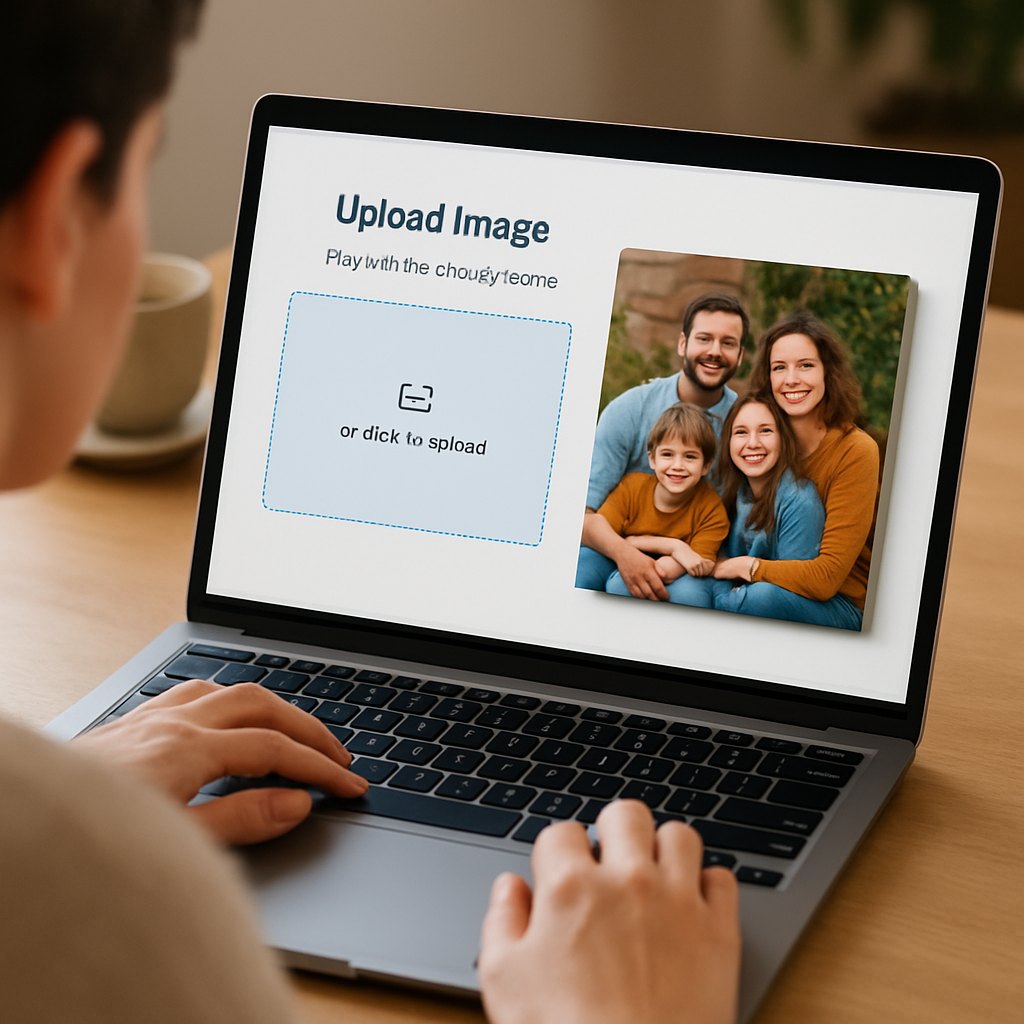
2. Open the design portal. Most sites have a bright “Upload Image” button on the product page. Click it, then select your file. The system will usually run a quick check and tell you if the resolution is sufficient.
3. Position and crop. Use the on‑screen handles to move the image within the canvas frame. If you’re doing a gallery‑wrap, remember the edges will be visible, so keep the main subject away from the very border. A quick trick: add a subtle border in a photo editor before uploading; it guarantees no important detail gets cut off.
4. Choose a finish and optional effects. Decide between satin‑matte, soft‑mat, or a protective laminate. If you have kids, a laminate can fend off fingerprints. Some tools also let you add a vignette or adjust brightness without leaving the site.
5. Preview at 100 %. Zoom in until you can see individual pixels. Look for any banding, color shifts, or stray specks. If something feels off, go back to your editor, fix it, and re‑upload.
Real‑world examples
Jenna from Ohio once tried to upload a sunset photo taken on a smartphone. The original file was 2 MP, and the portal warned her it would be upscaled and could look blurry. She opened the picture in a free editor, increased the canvas size, and applied a slight sharpening filter. After re‑uploading, the preview looked sharp, and the final canvas turned out vibrant enough that her guests asked, “Did you paint that?”
Mark, a dad of three, wanted a collage of his kids’ first‑day‑of‑school photos. He uploaded each picture, arranged them in a grid within the tool, and added a simple “Class of 2025” banner. The live preview let him see spacing errors instantly, so he adjusted the gaps to 2 inches – exactly the amount his wall could accommodate without looking cramped.
Tips from the pros
• Save a copy of your edited file in both JPEG (for upload) and PNG (for backup). JPEG keeps file size low, while PNG preserves any transparent overlays you might have added.
• If the service offers a “proof” email, request it. A PDF proof can be opened on any device and gives you a final sanity check before the print runs.
• For ultra‑large pieces, consider splitting the image into sections in the tool and ordering them as a tiled set. This reduces the risk of a single print error and makes hanging easier.
Quick checklist
- Confirm image resolution ≥ 300 dpi.
- Upload the original, not a compressed version.
- Use the design tool’s crop feature to keep key subjects away from edges.
- Select a finish that matches your room’s lighting.
- Preview at 100 % and request a digital proof.
Once you’re happy with the mock‑up, hit the order button and let the printer do the heavy lifting. In a few days you’ll have a custom photo canvas wall art piece that looks exactly how you imagined it – no surprises, just pure, personal décor.
And remember, the design tool is your sandbox. Play with layouts, test text overlays, and don’t be afraid to experiment. The more you tinker before the print, the more confident you’ll feel when you finally hang that canvas on the wall.
Step 5: Order, Shipping, and Hanging Tips
Alright, you’ve tweaked the image, picked the size, and settled on a finish. Now it’s time to hit “order” and make sure your custom photo canvas wall art arrives in perfect condition.
Double‑check the proof before you buy
Most services will send you a digital proof – think of it as a final selfie of your canvas. Open it on a laptop, zoom in to 100%, and look for any weird color shifts or stray specks. If something feels off, hit the “edit” button right away; a quick tweak now saves you a pricey reprint later.
For example, Mark noticed a faint red‑eye artifact on his kids’ graduation photo. He used the built‑in correction tool, re‑uploaded, and the final canvas turned out flawless.
Choose the right shipping speed
Do you need the piece for a birthday next week? Many print‑on‑demand shops offer expedited options that get your canvas to the door in 2‑3 days. If you’re not in a rush, standard shipping usually arrives within a week and can be cheaper.
One tip: order a sample swatch if the provider offers it. Seeing a small 8×10 piece in person tells you whether the colors pop and if the texture feels right for your space.
Inspect the package on arrival
When the box arrives, open it on a flat surface and lay the canvas face‑up. Check the edges for any dents, and run a fingertip over the surface – it should feel smooth, not wrinkled.
If you spot a flaw, most reputable shops have a hassle‑free return or remake policy. Snap a photo of the issue, email support, and they’ll usually ship a replacement at no extra cost.
Hanging hardware matters
Small canvases (under 20×30) often come with a simple saw‑tooth hanger. That works fine on drywall, but for larger pieces you’ll want something sturdier – think a French cleat or a hidden bracket. A French cleat distributes weight across a wider area, reducing stress on the canvas and the wall.
Here’s a quick checklist:
- Measure the canvas thickness; most gallery‑wraps are about 1‑1.5 inches deep.
- Pick a hanging method that matches the weight – a 30×40 canvas usually needs a cleat or heavy‑duty picture hook.
- Mark the wall with a pencil, level the line, and drill pilot holes for anchors if you’re using screws.
Pro tip: If you’re worried about damage, use removable adhesive strips designed for picture hanging. They hold up to 30 lb and leave no holes.
Positioning for maximum impact
Step back and look at the wall from eye level – the center of the canvas should sit about 57‑60 inches from the floor for most adults. If you’re hanging a group of canvases, treat the whole arrangement as a single piece and keep the spacing consistent (2‑4 inches works for most rooms).
Real‑world example: Jenna placed a 30×40 family beach canvas above her sofa, then added two 16×20 side pieces with a 3‑inch gap. The trio feels intentional, not haphazard.
Protect your art long‑term
Even though many prints are coated with UV‑resistant inks, direct sunlight can still fade colors over years. If the canvas hangs near a window, consider a sheer curtain or an UV‑filtering film.
Dust it occasionally with a soft, dry microfiber cloth. Avoid harsh chemicals; a damp cloth with mild soap works if you have stubborn smudges, but dry it right away.
What to do if something goes wrong
Shipping hiccups happen – a dented box or a delayed delivery. Keep the shipping receipt and take photos of any damage. Most providers will ask for these before issuing a replacement.
And remember, a little patience goes a long way. Even if your canvas takes a day longer than expected, the excitement of unboxing a piece of your memory is worth the wait.
So, you’ve ordered, you’ve received, now you’re ready to hang. Follow these steps, and your custom photo canvas wall art will look exactly the way you imagined – no surprises, just a personal masterpiece on your wall.
FAQ
How do I choose the right photo for custom photo canvas wall art?
Start with a picture that already makes you smile – maybe a goofy family pose or a sunrise you love. Look for a clear focal point; the eye should know where to land. Aim for at least 300 dpi, which means the file is sharp enough to stay crisp when it’s stretched across a large canvas. If the photo is a bit grainy, try a simple edit to boost contrast before you upload.
What size canvas works best for a living‑room wall?
A good rule of thumb is to let the canvas fill about 60‑70 % of the wall’s width. In a standard 12‑ft wide living room, a 30×40 inch piece usually feels balanced, leaving room for side tables or a sofa. If you want a bold statement, go bigger – up to 48×72 inches – but make sure the surrounding space can handle the visual weight. Sketch the outline on paper first; it helps you see the scale before you order.
Can I order a custom photo canvas with a matte finish and why choose it?
Absolutely. A matte or soft‑mat finish reduces glare, so the colors stay true even when sunlight hits the wall. It also makes dusting easier because fingerprints don’t show up as starkly as on a glossy surface. For busy homes with kids or pets, a matte coating adds a thin layer of protection without the shiny “look‑at‑me” vibe. Most print‑on‑demand shops let you pick the finish at checkout.
How should I hang a large canvas to keep it safe?
For anything over 20×30 inches, skip the cheap saw‑tooth hanger and use a French cleat or heavy‑duty picture hook. Measure the canvas thickness (usually 1‑1.5 inches) and choose a cleat that matches the weight rating. Mark the wall at eye level – roughly 57‑60 inches from the floor – then use a level to keep the piece straight. If you’re nervous about holes, removable adhesive strips rated for 30 lb work well for medium‑size pieces.
What if the colors look different after printing?
First, double‑check the digital proof you received – it should match what you see on your screen. Remember that monitors can be brighter than printed ink, so a slight shift is normal. If the difference feels dramatic, contact the printer with a side‑by‑side photo of the proof and the canvas. Most services will offer a free remake if the color deviation exceeds their quality guarantee.
Is it worth ordering a sample swatch before the full canvas?
Yes, especially if you’re experimenting with a new finish or an unusual image. A small 8×10 swatch lets you feel the texture, verify the color fidelity, and see how the edge bleed looks on a real piece. It’s a low‑cost way to avoid a costly surprise later. Once you’re happy with the sample, you can confidently place the larger order knowing the final product will meet your expectations.
How do I care for my custom photo canvas long‑term?
Dust the surface regularly with a dry microfiber cloth – it removes particles without scratching the fibers. For stubborn spots, a lightly dampened cloth with mild soap works, but dry it immediately to prevent water marks. Keep the canvas away from direct, harsh sunlight; a sheer curtain or UV‑filtering film can slow fading. Finally, check the hanging hardware every few months to make sure the weight is still secure.
Conclusion
Let’s take a quick breath and look back at what we’ve covered. You’ve learned how to pick a photo that actually makes you smile, size it so it fits your wall without feeling cramped, and choose a finish that stands up to kids, pets, or a sunny living room. You’ve also seen why a sample swatch can save you from a costly surprise and how a simple digital proof lets you catch color quirks before they print.
Now it’s time to turn those insights into action. Grab your favorite memory, upload a high‑resolution file, and use the online design tool to tweak cropping and edge bleed. Double‑check the proof at 100 % zoom, order a small swatch if you’re trying a new finish, and choose sturdy hanging hardware – a French cleat for larger pieces works wonders.
Picture the moment you step back and see your own story stretched across the wall – it’s like giving your home a personal gallery without the museum price tag. And because you’ve set everything up for durability, that canvas will stay vibrant for years, even when the kids run past or the sun streams through the window.
So, what’s the next move? Pick that photo, hit ‘order,’ and watch your wall transform. If you need a gentle nudge, explore heartful.gifts’ range of custom canvas options – you’ll find the perfect match for any room and occasion.