

How to Design a Custom Picture T Shirt: Friendly Step‑by‑Step Guide
Ever looked at a plain tee and thought, "This could use a memory of that crazy road trip last summer?"
You're not alone. A custom picture t shirt turns a random shirt into a wearable snapshot, and honestly, it feels like magic.
But why are so many parents, spouses, and gift hunters flocking to print their favorite photos on fabric?
Because there’s something comforting about wrapping yourself in a moment you can actually see and touch.
Imagine gifting your partner a shirt with the exact sunset you watched together on your anniversary – no frame, just a hug you can wear.
Or think about your kids' faces beaming from a class photo printed on a soft cotton tee; it’s a tiny, everyday celebration.
We get it – you want something personal, yet you don’t want to wrestle with complicated design tools.
That’s where heartful.gifts makes the process feel like a quick coffee chat: you upload, tweak a bit, and they handle the rest.
So, what does the whole journey look like?
First, you pick a shirt style that feels right – maybe a classic crew neck or a relaxed tee for a cozy vibe.
Next, you choose a photo that tells a story: a goofy selfie, a family portrait, or that epic concert shot.
Then you drop the image into the easy‑to‑use editor, position it, and watch it come to life on the screen.
After a quick preview, you hit order, and the print‑on‑demand team prints, packs, and ships it straight to your door.
Sounds simple, but the real joy comes when the shirt arrives and you see the colors pop just like the original moment.
And because each shirt is made just for you, there’s no waste, no over‑stock, just a one‑off piece that feels truly yours.
Ready to turn that favorite picture into a wardrobe staple? Let’s dive in and explore how you can create a custom picture t shirt that looks great and spreads smiles.
TL;DR
A custom picture t shirt lets you turn a favorite photo—whether it’s a goofy selfie, a family portrait, or a concert snap—into a wearable memory that’s instantly personal and unique.
With heartful.gifts you pick the style, upload the image, and their easy editor handles the rest, delivering a high‑quality, made‑to‑order tee straight to your door in minutes.
Step 1: Choose Your Photo and T‑Shirt Style
First thing’s first – you’ve got a memory you want to wear, but which canvas will do it justice? Think about the vibe you’re after: a classic crew‑neck for that “every‑day‑hero” feel, or a relaxed, soft‑touch tee if you’re planning a lazy‑Sunday look.
And here’s a quick tip: cotton‑rich blends tend to hold the print better than super‑light fabrics, especially when you want the colors to stay true after a few washes.
Pick the right shirt style
Browse the style options on heartful.gifts and ask yourself: who’s going to wear this? A kiddo might love a tag‑less, pre‑shrunk tee, while a partner might prefer a slim‑fit, rib‑stitched crew. The platform even shows you a side‑by‑side preview so you can see how the cut changes the overall look.
Once you’ve settled on a style, it’s time for the star of the show – the photo.
Select the perfect photo
Grab a picture that’s high‑resolution (at least 150 dpi) and has good lighting. You know that moment when a sunset’s orange glow just hits the perfect angle? That’s the sweet spot. If the image is grainy, the print will look fuzzy, and nobody wants that.
Don’t be afraid to crop a little. Sometimes cutting out the background lets the subject pop, especially on a solid‑color shirt. If you’re unsure, try the built‑in editor – it lets you zoom, rotate, and even add a tiny border.
Need a little inspiration? Check out How to Design and Order a Custom Photo T Shirt: A Step‑by‑Step Resource for a quick walkthrough of the whole process.
Now, let’s talk about where this shirt fits into the bigger gift picture. If you’re already thinking about a birthday, maybe pair the tee with a quirky accessory from Midnight Scriber. Their collection of handcrafted keychains and mugs makes a nice companion piece that doesn’t compete with your custom apparel.
Watching the short video above can help you visualize how the photo wraps around the tee’s chest area. Notice the way the colors stay vibrant even when the model moves.
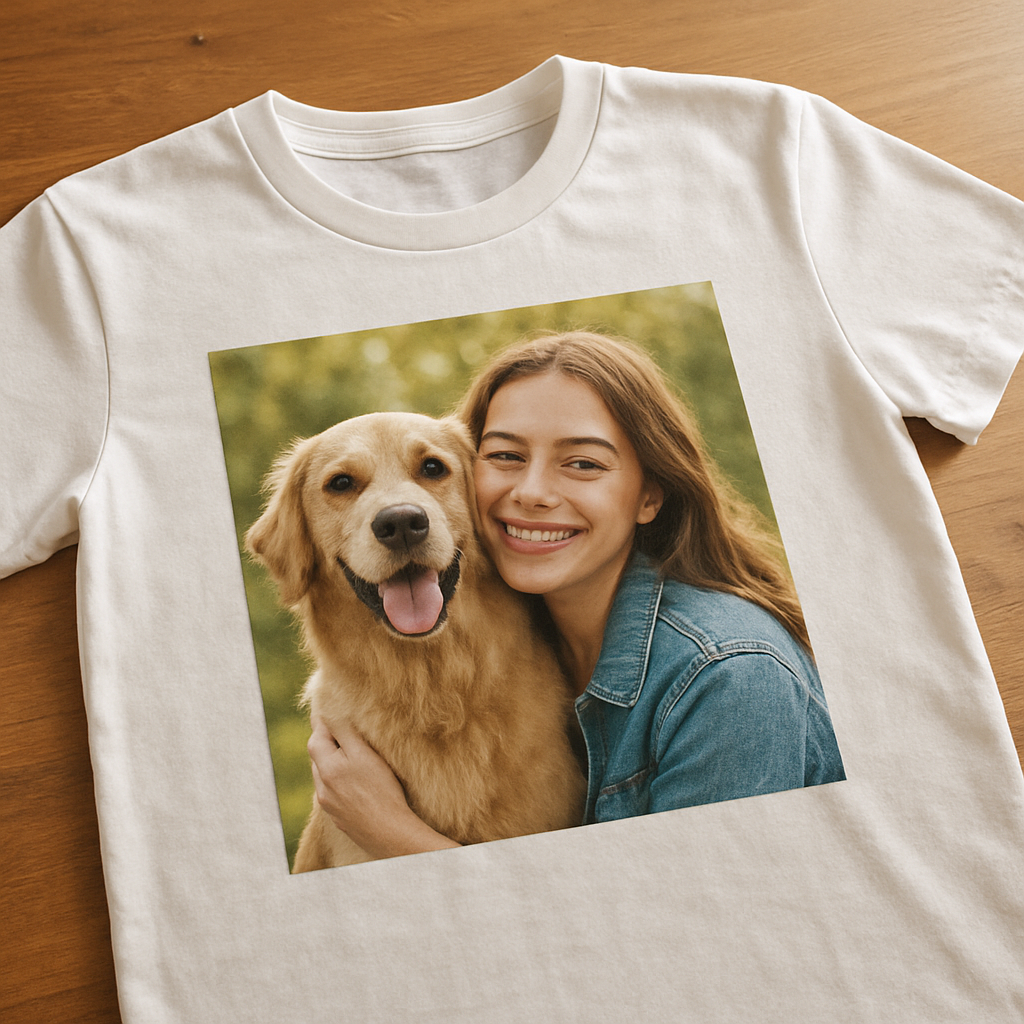
After you’ve uploaded and positioned the image, take a moment to preview it in the mock‑up. Does the smile line up with the shirt’s seam? Is there enough margin around the edges? Small tweaks now save you a “what‑was‑I‑thinking?” moment later.
Finally, think about the story you’re telling. A family reunion snap? A goofy pet pose? Whatever it is, the shirt becomes a conversation starter. And if you’re celebrating a partnership, you might want to read some tips on deepening that bond at Happy Together. A meaningful shirt paired with a little relationship advice can turn a simple gift into a lasting memory.
Pro tip: order a size up if you plan to layer the shirt under a jacket. The extra room prevents the print from stretching and keeps the image crisp even after several washes.
When you’re happy with the preview, hit “Add to Cart” and let heartful.gifts handle the rest – printing, packing, and shipping right to your door. In a few days, you’ll have a wearable piece of that moment, ready to bring smiles whenever it’s worn.
Step 2: Edit and Prepare Your Image
Now that you’ve nailed the shirt style and picked a photo, the real magic happens in the editor. This is where you turn a raw snap into a print‑ready masterpiece for your custom picture t shirt.
First up, check the resolution. Aim for 300 DPI or higher – anything lower will look fuzzy after it’s stretched over the fabric. If your phone shot is only 72 DPI, open it in a simple tool like Photoshop, GIMP, or even a free online resizer and bump the DPI without shrinking the pixel dimensions.
Next, think about composition. Does the subject sit too close to the edge? A quick crop can give you breathing room and keep the print from getting cut off near the seams. Try to leave at least a half‑inch margin all around; most print‑on‑demand services use a 0.5‑inch bleed.
And what about background noise? If the backdrop is busy, consider a subtle blur or a soft‑edge mask. A clean background makes the main subject pop on the tee, especially on darker shirts where stray colors can look muddy.
Now, color balance. Our eyes love contrast, so boost the mids and shadows just enough to make the image “pop” without oversaturating. Most editors have a one‑click “Auto‑Adjust” that does a decent job, but spend a minute fine‑tuning the sliders for a natural look.
Adding Text or Graphics
Want a little tagline? Keep it short – a few words that add context but don’t compete with the photo. Use a font that complements the image; a clean sans‑serif works well for modern shots, while a handwritten script feels cozy for family moments. Place the text near the bottom or on a side seam so it stays visible after the print stretches.
If you’re feeling adventurous, try layering a tiny icon – like a heart or a tiny map pin – to mark the place where the photo was taken. Keep the layer under 10 % of the total image area; otherwise it distracts.
When you’re happy with the layout, hit preview. Most editors show a mock‑up on a virtual shirt, letting you rotate the view and see how the design wraps around the chest. Look closely at the edges – any stray pixels or white gaps will become noticeable once the shirt is printed.
File format matters too. Save as PNG if you have any transparent elements; otherwise a high‑quality JPEG (minimum 80 % quality) keeps the file size reasonable while preserving detail. Aim for a final file under 10 MB so the upload finishes quickly.
A quick sanity check: Zoom in to 100 % and make sure the eyes, text, or any fine lines are still crisp. If they look blurry now, they’ll only get worse on fabric.
Finally, name your file something clear – “Mom‑Beach‑Sunset‑2024.png” – so you can find it later if you decide to reorder or tweak the design. Store it in a dedicated folder with any other assets you plan to use for future tees.
With these steps done, you’ve turned a simple snapshot into a polished, print‑ready image ready to shine on your custom picture t shirt. All that’s left is to place the order and watch the magic happen.
Step 3: Choose a Printing Method
Alright, you’ve got the perfect photo and the shirt that feels just right. Now the real question pops up: how do we actually get that image onto fabric? The answer lives in the printing method you pick, and it can change the look, feel, and longevity of your custom picture t shirt.
Heat transfer – quick, colorful, and great for one‑offs
Heat transfer uses a press to sandwich your design between a sheet of special paper (or vinyl) and the shirt. When heat and pressure are applied, the ink or vinyl bonds to the fibers.
There are two flavors you’ll run into:
- Vinyl (HTV): A thin polyurethane sheet you cut into shapes or letters. It’s perfect for bold, solid‑color graphics – think a family name across the chest or a simple silhouette of a pet.
- Digital transfer: A printable paper that holds a full‑color image. The press transfers the ink onto the shirt, so you get photo‑realistic results without the hassle of cutting each color.
Heat transfer shines when you need a single shirt or a tiny batch. No screens to set up, no minimum order, and you can print on almost any fabric – cotton, polyester, blends – without worrying about ink‑absorption differences.
Real‑world example: Emma wanted a cute tee for her baby’s first birthday. She uploaded a pastel‑toned cake photo, chose digital transfer, and within a day had a soft, breathable shirt that still looked like a high‑resolution print.
Screen printing – durable, vibrant, and cost‑effective at scale
Screen printing pushes thick ink through a mesh stencil onto the shirt. The ink actually soaks into the fibers, which means the design can survive countless washes without fading.
Because each color needs its own screen, the upfront setup cost is higher, but the per‑shirt price drops dramatically once you hit 25‑plus pieces. It’s the go‑to for team shirts, bulk gifts, or any design that uses a limited color palette.
Example in action: A local soccer league ordered 30 matching jerseys with a bold crest and the year. They chose screen printing because the simple two‑color logo stayed crisp after every game and wash.
One thing to remember: screen printing isn’t ideal for photo‑realistic gradients. If your picture has lots of subtle shades, you’ll likely get banding unless you splurge on a high‑end process.
When to pick one over the other?
Ask yourself these quick questions:
- Do I need a single shirt or a small batch? – Heat transfer wins.
- Is my design full‑color with lots of detail? – Digital transfer (heat) handles it.
- Am I ordering 25+ pieces with a simple logo? – Screen printing saves money.
- Do I want the print to survive heavy wear and repeated laundering? – Screen printing is tougher.
For on‑demand services like heartful.gifts, heat transfer is often the default because it avoids setup fees and lets you order one tee at a time without extra cost.
Step‑by‑step checklist for choosing the right method
- Look at your design: Is it a photograph with many colors? Go digital heat transfer.
- Count your shirts: One‑off or under 10? Heat transfer keeps the price low.
- Consider fabric: 100% cotton works well with both, but polyester blends respond better to heat transfer.
- Think about longevity: Need a shirt that will survive weekly washes? Screen printing is the safe bet.
- Budget check: Calculate per‑shirt cost for each method. Remember screen printing needs a minimum run to break even.
- Ask your printer: Verify they use high‑quality transfer paper or premium screens. Jupmode’s guide on heat transfer vs. screen printing breaks down the pros and cons in detail.
Once you’ve ticked the boxes, you’ll know which method will give you the look you want without surprise costs. And the best part? Both methods are available through heartful.gifts, so you can experiment with a single shirt before committing to a whole crew.
Bottom line: the printing method is the bridge between your cherished photo and the fabric that will wear it. Choose wisely, follow the checklist, and you’ll end up with a custom picture t shirt that feels as personal as the memory it captures.
Step 4: Compare Popular Printing Services
Now that you’ve picked the perfect photo and shirt style, it’s time to decide which printing service will actually bring that memory to life. The market is full of options, and each one has its own sweet spot. Let’s walk through the most common services, see where they shine, and figure out which one matches your project.
Heat‑Transfer (Digital Transfer)
Think of heat‑transfer as the go‑to for one‑offs and tiny batches. A printer lays a special paper with your full‑color image onto the shirt, then uses heat and pressure to fuse the ink. It works on cotton, polyester, or blends, so you’re not locked into a single fabric.
Real‑world scenario: Emma wanted a soft baby‑boy tee for a first‑birthday party. She uploaded a pastel cake photo, chose digital transfer, and got a shirt that looked like a photograph, even though she only ordered one.
When you’re after vivid gradients or a photo‑realistic look without worrying about minimum orders, heat‑transfer is usually the simplest path.
Screen Printing
Screen printing pushes thick ink through a mesh stencil, soaking into the fibers. The result? A design that survives repeated washes and heavy wear. The catch is that each color needs its own screen, so set‑up costs rise quickly.
Because of that, screen printing shines when you need 25 + shirts with a limited color palette. A local soccer league ordered 30 jerseys with a two‑color crest; the ink stayed sharp after every game and wash.
If durability is your top priority and your design is simple (think logos, slogans, or limited‑color artwork), screen printing will likely save you money in the long run.
Direct‑to‑Garment (DTG) / Digital Printing
DTG works a bit like a high‑resolution inkjet printer, spraying tiny droplets of ink directly onto the fabric. There’s no minimum order, and you can use an unlimited number of colors—perfect for detailed photos.
For example, a family wanted a collage of vacation snapshots on a single tee. DTG handled the many shades and tiny details without any banding, delivering a shirt that looked just like the printed collage.
The downside? DTG tends to work best on 100 % cotton or high‑cotton blends; polyester can make the ink feel stiff.
Quick Decision Checklist
Grab a pen and run through these questions before you click “order”:
- How many shirts do you need? One‑off or under 10? → Heat‑transfer or DTG.
- Is your design photo‑heavy with many shades? → DTG or digital heat‑transfer.
- Do you need the print to survive heavy washing? → Screen printing.
- Are you working with a limited color palette? → Screen printing will be cheaper.
- What fabric are you using? 100 % cotton works everywhere; polyester blends favor heat‑transfer.
Answering these will point you to the service that gives you the best look without surprise costs.
Comparison Table
| Service | Best For | Pros | Cons |
|---|---|---|---|
| Heat‑Transfer (Digital) | Single shirts or small batches, full‑color photos | No minimums, works on many fabrics, vibrant gradients | Print can feel slightly stiff, may fade faster than screen |
| Screen Printing | Bulk orders (25+), simple logos, durability | Longest‑lasting ink, cost‑effective at scale, great on dark fabrics | Setup cost per color, not ideal for photo‑rich images |
| Direct‑to‑Garment (DTG) | Photo‑rich designs, unlimited colors, no minimum | True‑to‑life color reproduction, soft hand feel on cotton | Works best on 100 % cotton, can be pricier per shirt |
So, what should you do next? Sketch out your design, count how many tees you need, and match those numbers to the checklist above. If you’re still unsure, reach out to the printer’s support team—most print‑on‑demand shops (including heartful.gifts) have live chat that can confirm which method they recommend for your exact file.
Bottom line: the right printing service is the bridge between your cherished photo and a shirt that feels as personal as the memory itself. Pick the method that aligns with your quantity, fabric, and durability needs, and you’ll end up with a custom picture t shirt that looks great, lasts long, and makes you smile every time you pull it on.
Step 5: Place Your Order and Care for Your Shirt
Alright, you’ve tweaked the photo, picked the perfect tee, and settled on a printing method. Now it’s time for the part that feels a bit like checking out at a coffee shop—except the reward is a shirt that holds a memory.
Confirm Your Design One Last Time
Before you click “order,” zoom in on the mock‑up. Does the image sit comfortably away from the seams? Are the colors still popping? If anything looks off, most print‑on‑demand tools let you swap the file or nudge the placement without starting over.
Pro tip: give the file a clear name like “Beach‑Sunset‑2024.png” so you can find it later if you need a refill or want to tweak the design for a sibling’s shirt.
Checkout Tips to Keep the Process Smooth
When you hit the cart, double‑check the size chart. A quick measurement of a favorite shirt (from shoulder to hem) beats guessing.
Enter the shipping address carefully—typos cost time and money. If you’re ordering a gift, add a note in the “gift message” field; many services print it on a separate card so the surprise stays intact.
Most sites, including heartful.gifts, offer a “save design” button. That way you can come back later, maybe after a coffee break, without losing any work.
Shipping & Delivery: What to Expect
Once the order is placed, the printer usually confirms the estimated delivery window. For a single shirt, you’ll often see a 2‑5 business day turnaround, especially if they have a local fulfillment center.
If you’re on a deadline—say, a birthday this weekend—look for “rush shipping” options. They cost a bit more, but the peace of mind is worth it.
And remember, many shops throw in free shipping on orders over a certain amount. It can be a handy way to bundle a few extra shirts for the whole family.
Care Instructions: Keep Your Custom Picture T Shirt Looking Fresh
When the package arrives, treat the shirt like a new piece of art. Turn it inside out and machine wash cold. Use non‑chlorine bleach only if you really need to brighten a white tee, and skip the dryer—air‑drying helps the print stay soft.
Vistaprint recommends avoiding the iron on the printed area to keep the image from cracking or fading over time.According to their care guide, washing cold and hanging to dry extends the life of the print.
If you notice a tiny snag after a wash, a gentle hand‑rub with a soft brush can smooth it out without damaging the ink.
Quick Checklist Before You Hit “Place Order”
- Double‑checked image placement and margins.
- Verified shirt size using the size chart.
- Added any gift note or special instruction.
- Selected appropriate shipping speed.
- Reviewed care instructions for post‑delivery.
Cross those boxes, and you’re good to go.
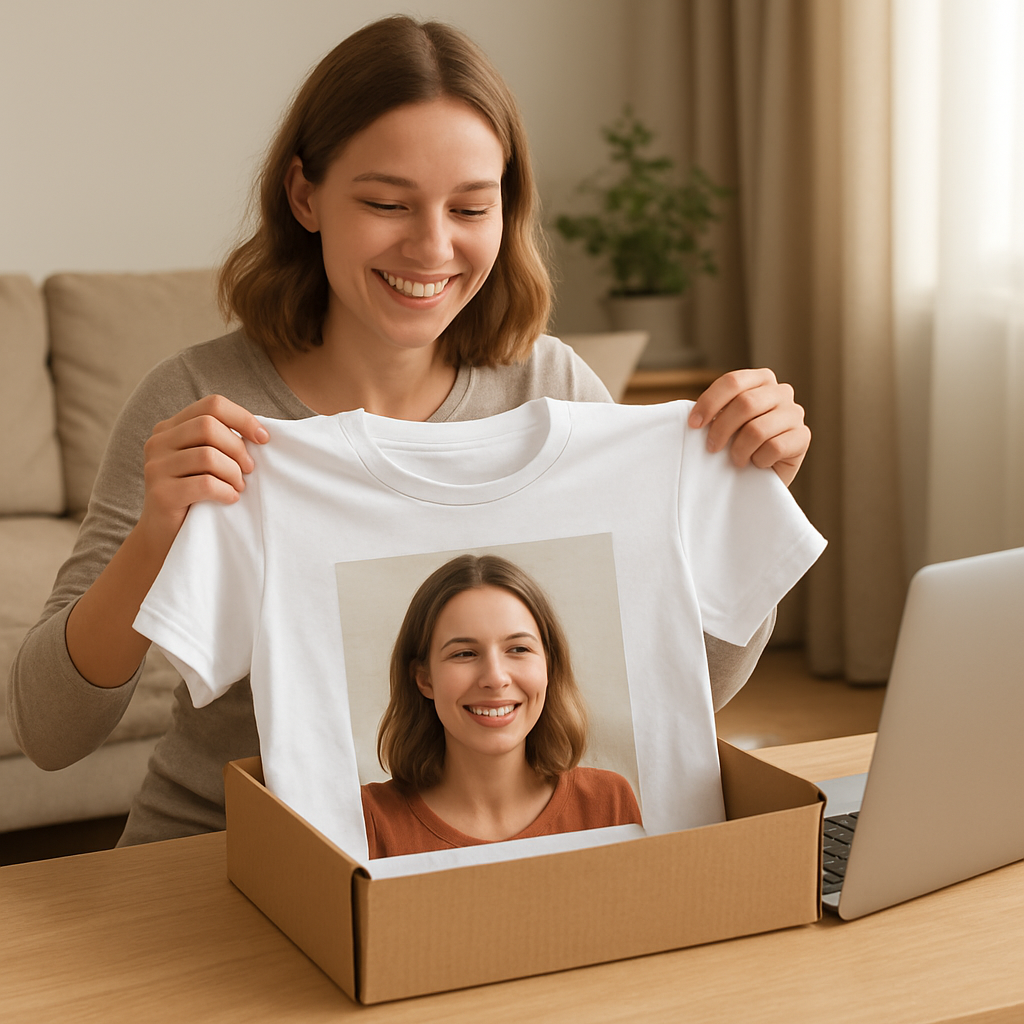
After you place the order, the real fun begins: waiting for that little box to show up, opening it, and feeling the soft cotton under your fingers while the photo bursts to life on the chest. It’s a tiny celebration of the memory you just turned into wearable art.
So, what’s the next move? Click that “order” button, keep the care tips handy, and get ready to wear your story.
Step 6: Showcase and Promote Your Custom Shirt
Now that your custom picture t shirt is in your hands, the fun part begins – getting it seen.
Snap a real‑life look
Grab your phone, find good light, and take a few lifestyle shots. A simple tip is to wear the tee while you’re doing something you love – cooking, hiking, or just lounging with coffee. The background doesn’t have to be fancy; a clean wall or a park bench works fine.
Why does this matter? People trust photos that feel authentic more than polished studio shots. A quick experiment: post a casual photo on Instagram and watch the likes climb compared to a stiff product‑only image.
Leverage your own social circles
Start with the people who already know you. Share the photo in a private Facebook group, a family chat, or on your personal Instagram story. Add a short caption like, “Just turned our beach sunset into a shirt – who wants one?” This creates immediate demand and gives you instant feedback.
Real‑world example: Jenna posted a picture of her son’s birthday shirt in a Mom’s group. Within an hour, three friends asked for the same design and she ended up selling a mini batch.
Turn the tee into a gift‑ready package
When you ship the shirt, include a small thank‑you card that tells the recipient why you chose that photo. A handwritten note feels personal and encourages the wearer to share the story online.
If you’re planning a larger giveaway, consider a “photo‑tshirt contest.” Ask followers to submit their favorite memory, then print the winning picture on a tee and announce the winner with a celebratory post.
Use hashtags and tagging strategically
Pick 5‑7 relevant hashtags: #custompicturetshirt, #giftideas, #familymemories, plus any niche tags like #roadtrip or #doglover. Tag friends who are in the photo – they’ll likely repost, expanding reach organically.
Tip: Keep a short “brand hook” in every caption, e.g., “Made with heartful.gifts” so anyone who sees the post knows where it came from.
Feature the shirt on your own website or blog
If you run a small blog about family gifts, write a short case study showing the design process, the final product, and a few customer quotes. Embed the same images you used on social – search engines love fresh visual content.
Don’t forget to add a clear “Buy this design” button that links directly to the product page.
Email a mini‑launch to your list
Even a handful of subscribers appreciate a personal note. Write a quick email: “Hey, I just turned our last hike into a tee. Here’s a sneak peek – grab yours before they’re gone.” Include a single “Shop Now” link and a limited‑time discount code.
Data shows that a 10 % discount can lift click‑through rates by up to 2 × for niche products.
Run a small paid boost
If you have a modest budget, a $5‑$10 Facebook or Instagram boost targeting friends of friends works wonders. Choose the “engagement” objective, upload your lifestyle photo, and let the platform do the heavy lifting.
According to Embroly’s promotional page, free shipping on orders over $99 can be a strong incentive when paired with a paid ad, because shoppers love “no extra cost” deals (see their free‑shipping offer).
Checklist before you hit “share”
- Take at least three varied photos (front, back, lifestyle).
- Write a short, authentic caption with 5‑7 hashtags.
- Tag anyone featured and add a brand hook.
- Schedule a post on your main channel and a follow‑up story.
- Send a brief email to any list you have.
- Consider a $5 boost or a giveaway to amplify reach.
And that’s it – a handful of simple steps turn a single custom picture t shirt into a buzz‑worthy moment that spreads, sells, and keeps the memory alive.
Conclusion
So there you are, holding that fresh custom picture t shirt and feeling that little buzz of pride. You’ve turned a simple snap into something you can actually wear, and that’s a kind of magic you don’t get from a photo album.
We’ve walked through picking the perfect style, polishing the image, choosing the right printing method, placing the order, and even how to care for the shirt so the colors stay bright. Each step is meant to keep the process as easy as a coffee chat, while still giving you a professional‑grade result.
Remember, the real power of a custom picture t shirt isn’t just in the fabric – it’s the story it carries. Whether it’s a goofy family selfie, a sunset from that road trip, or a cherished pet portrait, the tee becomes a wearable reminder of a moment you love.
Now that you’ve got the roadmap, why not make one right now? Grab your favorite photo, head over to heartful.gifts, and let the design tool do the heavy lifting. In a few days you’ll have a shirt that feels personal, looks great, and sparks conversation every time you slip it on.
Give it a try and watch the smiles appear.
FAQ
Can I use any photo for a custom picture t shirt?
Most photos will work, but the magic really happens with high‑resolution images (300 DPI or higher). A crisp shot captures details and prevents that fuzzy look once it’s printed on fabric. If the picture is dark or grainy, try boosting the contrast in a simple editor before you upload. A clear, well‑lit photo will make the colors pop and keep the design looking professional.
How do I choose the right shirt style for my picture?
Think about where you’ll wear the tee. A classic crew‑neck feels cozy for everyday errands, while a relaxed, longer cut is great for weekend outings or a casual family reunion. Consider the fabric too—100 % cotton gives a soft hand feel and prints vibrantly, whereas a cotton‑poly blend reduces shrinkage if you expect a lot of washes. Matching the mood of the photo to the shirt’s silhouette helps the design feel intentional.
What printing method gives the best quality for photos?
For full‑color, photo‑rich designs, heat‑transfer digital prints (the default on most on‑demand sites) deliver sharp gradients and vivid hues without a minimum order. Direct‑to‑garment (DTG) is another great option if you’re ordering from a shop that offers it, especially on 100 % cotton. Both methods lay down the ink on the surface, so you’ll see every nuance of your snapshot.
Will the print survive many washes?
Yes, as long as you follow basic care instructions. Turn the shirt inside out, wash cold, and skip the dryer—air‑drying keeps the ink from cracking. Avoid harsh bleach unless the shirt is pure white, and don’t iron directly on the design. When you treat the tee gently, the custom picture will stay bright for months, even after repeated wear.
How long does it take to receive a custom picture t shirt?
Most print‑on‑demand services, including heartful.gifts, ship within 2‑5 business days after the order is placed. If you need it faster, look for a rush‑shipping option at checkout; it usually adds a day or two and a modest fee. Planning ahead for birthdays or holidays is wise—order a week early to give the printer a comfortable buffer.
Can I add text or a small logo to my photo tee?
Absolutely. Keep any extra text short—think a single line or a tiny icon that complements the image rather than competes with it. Place it near the bottom edge or on a side seam so the main picture stays front‑and‑center. Most design tools let you preview the placement in real time, so you can tweak the size and font until it feels just right.
What if I’m not happy with the final product?
Reputable shops usually offer a satisfaction guarantee. If the print is misaligned, the colors are off, or the shirt arrived damaged, reach out to customer support within the return window—often 30 days. They’ll either re‑print the tee or issue a refund. Keeping the original file handy makes the process smoother, and most companies appreciate a quick, clear photo of the issue.