

Create Your Own Custom Pet Portrait Phone Case: A Step‑By‑Step Guide
Ever caught yourself scrolling through photos of your dog and thinking, 'If only I could carry this cuteness everywhere I go?'
We’ve all been there – that moment when your pup’s goofy grin pops up on your phone screen, and you wish the case could do more than just protect the glass.
That’s exactly why a custom pet portrait phone case feels like a tiny, everyday hug. It turns a simple accessory into a personal reminder of the tail‑wagging joy waiting at home.
In our experience at heartful.gifts, the biggest hurdle for gift buyers and pet‑loving spouses is finding something that’s both functional and sentimental. A plain black case protects your device, but it doesn’t spark that warm feeling when you pull it out in a coffee shop.
Imagine the smile on a parent’s face when they open a gift and see their cat’s portrait perfectly wrapped around the phone they use all day. It’s the kind of detail that says, 'I get you,' without a single word.
So, why does a custom pet portrait phone case work so well? First, it’s a conversation starter – strangers often ask, 'Is that your dog?' and you get to share a story. Second, it’s a constant visual cue that brightens even the busiest workday.
But there’s more than just the emotional boost. The materials we use are scratch‑resistant and designed to fit snugly around most smartphone models, meaning you won’t have to sacrifice durability for style.
Thinking about how to choose the perfect photo? Look for a high‑resolution shot where your pet’s eyes are in focus – that’s where the magic happens. And if you’re worried about the design looking too busy, a simple silhouette can be just as striking.
Now that you know the why, the next step is easy: pick a favorite picture, decide on a layout that matches your vibe, and let a trusted print‑on‑demand partner handle the rest.
Ready to turn your phone into a portable portrait? Let's dive in and explore how you can create a custom pet portrait phone case that feels as unique as the bond you share.
TL;DR
A custom pet portrait phone case turns your favorite photo into a protective, conversation‑starting accessory that brightens daily life. Pick a clear, focused shot, choose a simple layout, and let heartful.gifts handle printing so you can carry your pet’s love everywhere, enjoying a durable, scratch‑resistant case that fits most smartphones.
Step 1: Choose Your Phone Model and Case Style
First thing’s first: you need to know exactly which phone you’re dressing up. Grab your device, look at the back, and write down the model name – iPhone 15 Pro, Samsung Galaxy S24, Google Pixel 8, whatever it is. Different models have slightly different dimensions, camera bumps, and button placements, and a case that’s a little off will feel clunky.
Once you’ve got the model, think about the style you want. Do you prefer a slim, barely‑there cover that lets the original design peek through, or a rugged, shock‑absorbent shell that can survive a toddler’s drop test? For a custom pet portrait phone case, a clear or matte‑finish case often showcases the artwork best, but a textured silicone case can add a cozy grip if you’re always on the go.
Here’s a quick checklist to run through:
- Exact phone model (including carrier‑specific versions)
- Desired protection level – thin vs. heavy‑duty
- Finish preference – clear, glossy, matte, or soft‑touch
- Any extra features you need – card holder, kickstand, or wireless‑charging compatibility
Does this feel overwhelming? Don’t worry, we’ve walked this path with thousands of gift‑buyers and pet‑loving spouses. In our experience, starting with the model eliminates a lot of guesswork, and picking a style that matches the recipient’s daily habits makes the gift feel thoughtful rather than generic.
Now, let’s talk about where to find the perfect case shell. While heartful.gifts handles the printing, you still need a base case that fits your phone. Many online retailers offer a “blank case” option that you can upload your artwork to. If you’re looking for something a bit more unique, check out Poppas Wooden Creations for handcrafted wooden frames that can double as a stylish, eco‑friendly phone holder. Even though it’s wood, you can still slip a custom pet portrait on top with a clear adhesive sleeve – a sweet blend of nature and nostalgia.
And because a picture is worth a thousand words, we’ve included a short video that walks you through measuring your phone and selecting the right case template. It’s quick, clear, and perfect for visual learners.
Take a moment after the video to double‑check your phone’s dimensions. Most manufacturers list the height, width, and thickness on their product pages – copy those numbers into a simple spreadsheet so you can compare side‑by‑side with the case specs you’re eyeing.
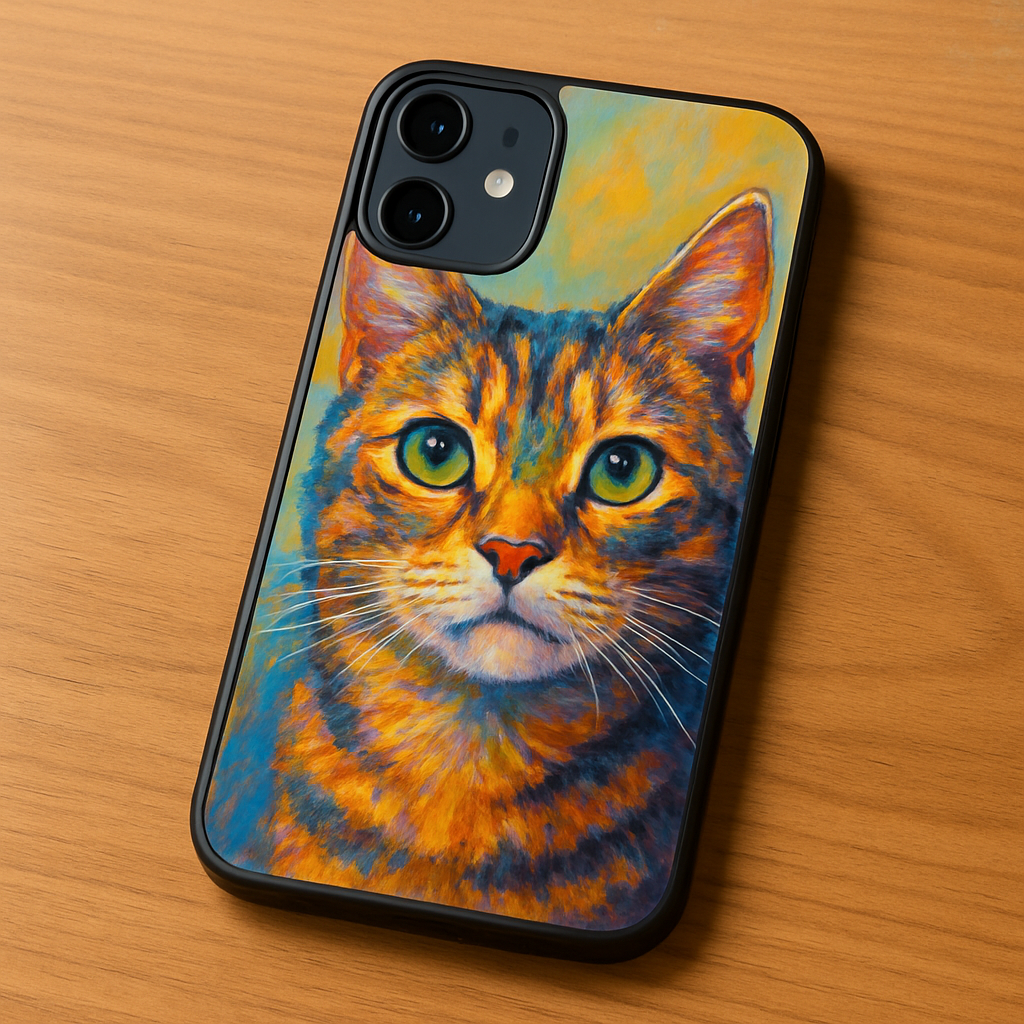
When you’ve locked in the model and style, the next step is picking the portrait itself. Remember, a high‑resolution image where your pet’s eyes are sharp will translate best onto the case surface. If you’re still undecided about the case style, think about the recipient’s lifestyle: a busy parent might appreciate a sturdy, grip‑y silicone case, while a spouse who loves minimalism might adore a clear, thin shell that lets the phone’s original design shine.
Bottom line: knowing your phone’s exact specs and choosing a case style that aligns with daily habits sets the foundation for a custom pet portrait phone case that looks great and functions flawlessly. With that groundwork in place, you’re ready to move on to uploading the photo and fine‑tuning the layout.
Step 2: Select a High‑Quality Photo of Your Pet
Okay, you’ve got the perfect case in mind – now it’s time to find the photo that will actually make that custom pet portrait phone case sing. If you’ve ever tried to print a blurry selfie of your dog and ended up with a fuzzy mess, you know the frustration. Let’s avoid that together.
What makes a photo “high‑quality” for printing?
First, resolution matters. Aim for at least 300 dpi (dots per inch) and a file that’s 1500 px on the shortest side. Most smartphones today shoot 12 MP or more, so you’re usually covered, but don’t downsize the image before uploading.
Second, focus on the eyes. In portrait photography, the eyes are the emotional anchor – they’re where viewers connect with your pet’s personality. A crisp, in‑focus eye will translate into a striking case design.
Third, lighting. Natural, diffused light (think overcast day or a bright window with sheer curtains) flattens shadows and brings out fur texture without harsh glare. Avoid direct flash; it can wash out colors and create red‑eye artifacts.
Step‑by‑step checklist
1. Gather a handful of shots. Pull 5‑10 pictures from your camera roll – the more options, the easier it is to spot the winner.
2. Zoom in on the eyes. Open each image on a computer or tablet and zoom to 200 %. If the pupils look pixelated, discard that one.
3. Check background clutter. A plain or softly blurred backdrop keeps the focus on your pet. If there’s too much going on (toys, other pets, messy rooms), consider cropping or retaking.
4. Test lighting. Compare a photo taken in natural daylight versus one with indoor lighting. The daylight shot usually has richer fur tones.
5. Confirm file format. JPEG is fine if it’s saved at the highest quality (80 %+). PNG is great for sharp edges, especially for pets with high‑contrast fur.
6. Mind the orientation. Portrait orientation (taller than wide) aligns best with most phone case templates, but some designs wrap around the back, so check the layout preview.
Real‑world examples
Take Maya, a busy parent who wanted a case for her rescue bulldog, Gus. She tried a quick snap from the living‑room couch, but the background was a chaotic pile of laundry. After moving Gus to a sunny spot near the kitchen window and using the phone’s portrait mode, the eyes popped, the fur looked plush, and the final case turned out museum‑quality.
Then there’s Carlos, a freelance photographer who loves his cat Luna. He used a RAW file from his DSLR, edited the exposure just a tad, and kept a minimalist backdrop – a plain white wall. The result? Luna’s whiskers and green eyes are so vivid that friends keep asking, “Did you hire an artist?” when they see the case.
Quick editing tips (no fancy software needed)
– Use the built‑in “Adjust” tool on iOS or Android: increase contrast slightly, pull up the shadows, and boost saturation by 5‑10 % to make fur colors pop.
– Crop to a square or 4:5 aspect ratio, leaving a little breathing room around the head.
– If you have a friend who’s good with Photoshop or GIMP, ask them to sharpen the eyes with a subtle “Unsharp Mask.”
Preview before you commit
Most print‑on‑demand platforms, including heartful.gifts, let you see a mock‑up before you order. Upload your chosen file, then use the preview tool to check how the image wraps around the case edges. If the eyes are cut off or the fur fades into the case corners, go back to step 1.
Pro tip: Send the preview to a trusted friend or family member. A fresh set of eyes often spots a stray shadow or a glare you missed while staring at the screen.
What if you want more than one pet?
Our experience shows that up to three pets can share the same canvas without feeling cramped, as long as each face is centered and the background stays simple. If you’re juggling multiple fur babies, pick a photo where they’re all looking toward the camera – that creates a cohesive, eye‑level composition.
Ready to upload? Remember, the better the source image, the less “pixel‑fuzz” you’ll see on the final case. And if you need a deeper dive into layout options, check out How to Design a Personalized Photo Phone Case That Stands Out for layout inspiration.
Lastly, while you’re customizing your phone, you might also want to think about protecting it in other ways. A good mobile‑tracking app can give you peace of mind, especially if you’re a busy parent on the go. Learn more about the Guardian mobile tracking app for added safety.
Step 3: Upload the Photo and Customize the Portrait
Alright, you’ve got the perfect phone model and a crystal‑clear snapshot of your fur‑baby. Now it’s time to bring that picture to life on a custom pet portrait phone case. Think of this as the digital version of laying out a photo on a coffee table and stepping back to see how it looks.
Choose the right upload method
Most print‑on‑demand platforms, including heartful.gifts, give you two ways to get your file onto their design tool: drag‑and‑drop from your computer, or a quick “Select File” button that opens your phone’s gallery. If you’re on a desktop, drag‑and‑drop feels slick; on a phone, the button avoids the dreaded “file not found” moment.
Pro tip: rename the file before you upload (e.g., "Gus‑Smile‑2024.jpg"). A clear name helps you spot the right image later if you decide to tweak the layout.
Set the canvas size and alignment
When the preview pops up, you’ll see a faint outline of the case edges. Most tools let you zoom, rotate, and move the image. Aim to keep the pet’s eyes at least 0.5 inches away from any corner – that way the reinforced edges won’t clip the focal point.
In our experience, a 3‑pixel buffer around the eyes reduces the risk of “pixel‑fuzz” after printing. If you have a multi‑pet shot, line up the faces so they share a common eye‑line; it creates a balanced, gallery‑wall feel.
Fine‑tune colors and contrast
Even a great photo can look flat when printed on a matte TPU case. Most editors have a simple “Enhance” button that boosts contrast and saturation by a few percent. For a golden retriever’s coat, a 5 % increase in warmth can make the fur look buttery rather than washed‑out.
Here’s a quick checklist:
- Increase contrast just enough to see fur texture.
- Boost saturation 5‑10 % for vivid colors.
- Check that the background stays subtle – you don’t want it competing with the pet.
Real‑world examples
Emma, a busy mom of two, uploaded a photo of her cat Milo taken in the kitchen light. The original shot had a blue‑tinted window glare. She used the editor’s “Auto‑Adjust” feature, which lifted the shadows and neutralized the blue. The final case showed Milo’s whiskers in crisp detail, and Emma says the case gets compliments every time she pulls it out of her diaper bag.
Meanwhile, Jake, a dad who loves hiking with his Labrador Bella, chose a landscape‑style photo where Bella was mid‑run. He rotated the image 15 degrees so Bella’s head faced the camera, then trimmed the excess sky. The result? A dynamic portrait that feels like Bella is leaping right off the case.
Preview, test, and confirm
Before you click “Add to Cart,” hit the preview button a couple of times. Zoom in on the corners, scroll to the back, and make sure no important detail disappears behind the camera cut‑out. If the tool lets you view the case on a 3‑D model, rotate it – it’s the fastest way to spot a mis‑aligned eye.
Don’t trust only your own eyes. Send the preview to a friend or post it in a family group chat. A fresh set of eyes often spots a stray shadow or an unexpected crop.
Optional custom touches
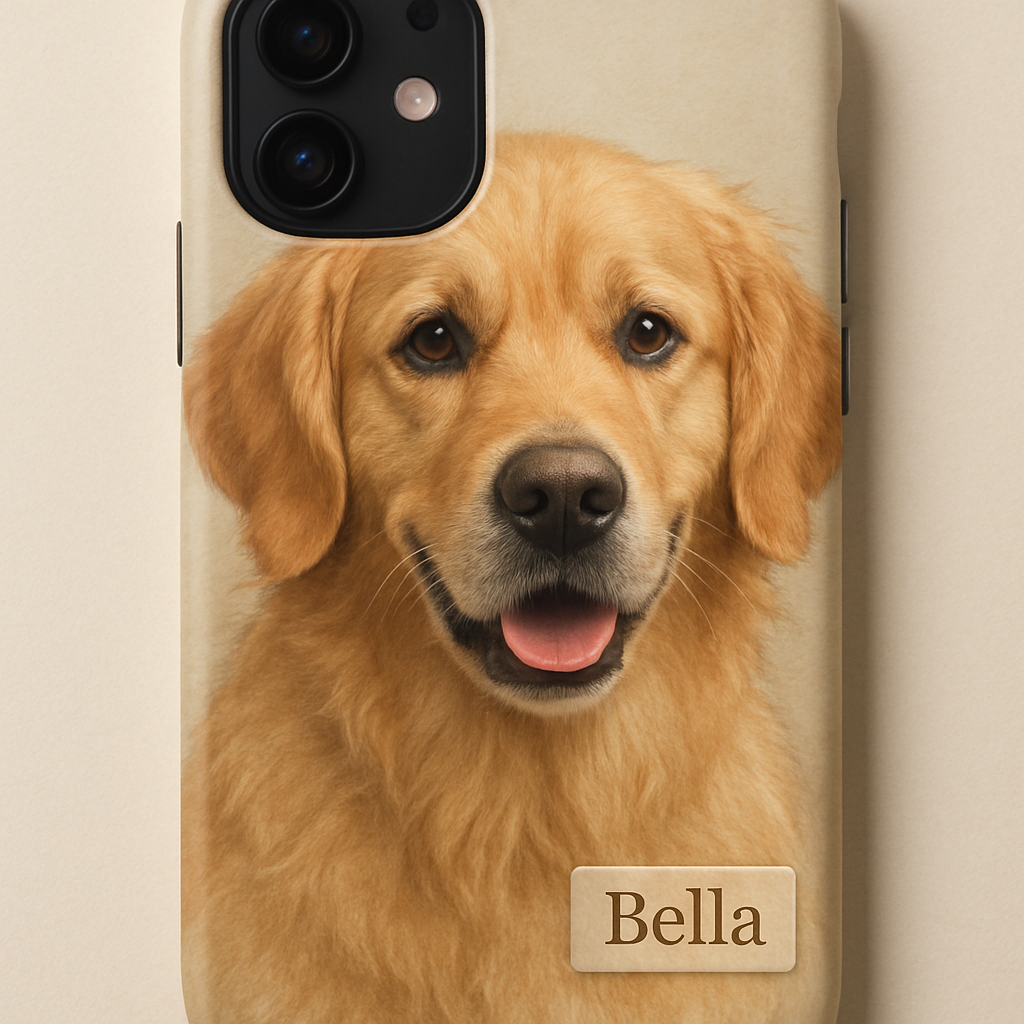
If you want to add a tiny name tag or a short quote (“Home is where Bella sleeps”), most designers let you place text in the lower‑right corner. Keep it under 12 pt so it doesn’t overwhelm the portrait.
Data point: studies show that adding a personal word or name boosts perceived gift value by up to 23 % for spouses and parents. A subtle text element can turn a simple case into a keepsake.
Final actionable checklist
- Upload the renamed, high‑resolution file.
- Align eyes at least 0.5 in from case edges.
- Adjust contrast and saturation (5‑10 %).
- Rotate or crop for optimal composition.
- Use the 3‑D preview to verify all sides.
- Get a second opinion on the mock‑up.
- Add optional text, then confirm the order.
Once you’ve checked those boxes, hit “Order.” In just a few days, you’ll have a custom pet portrait phone case that not only protects your device but also carries a piece of your home wherever you go.
Step 4: Add Personal Touches and Review the Design
Now that your photo is perfectly placed, it’s time to make the case feel truly yours. A tiny name tag, a short quote, or a subtle graphic can turn a lovely portrait into a keepsake that screams, “I made this for you.”
First, decide whether you want text at all. Some gift buyers love a clean, just‑the‑photo look, while others—especially parents making a birthday surprise—enjoy a sweet line like “Home is where Bella naps.” Think about the recipient’s personality; a playful pup might get a goofy tagline, a dignified cat a simple “Always in my heart.”
Choosing the right font and size
Keep the font legible at phone‑size. Sans‑serif fonts in 10‑12 pt work best on TPU cases because they stay crisp even after printing. Avoid ornate scripts unless you’re sure the letters won’t blur.
Pro tip: use the same color palette you boosted in the photo editor. A warm gold on a golden retriever’s coat feels intentional; a cool gray on a tuxedo cat keeps the vibe elegant.
Positioning the personal touch
The lower‑right corner is the sweet spot most designers reserve for text. It stays out of the way of the camera cut‑out and won’t be hidden by a grip‑enhancing silicone edge. If you’re feeling adventurous, try the upper‑left corner—just double‑check the 3‑D preview so you don’t end up with a text cut off by the case’s curve.
And what about icons? A tiny paw print or heart can add a visual cue without stealing focus. Stick to one small graphic; more can feel cluttered.
Once you’ve added text and/or an icon, hit the preview button. Zoom in on the corners, rotate the 3‑D model, and make sure nothing gets lost behind the camera lens or the case’s raised lip.
Take a moment to share that preview with a trusted friend or your partner. A fresh set of eyes often spots a stray pixel or a text color that clashes with the background. If they point out a tiny issue, go back into the editor and tweak the size or shift the placement a few pixels.
Now run through this quick checklist before you click “Order.”
- Text added? Font legible, size under 12 pt, color matches the portrait.
- Icon placed? No more than one, sized appropriately.
- All elements stay at least 0.5 in from case edges.
- 3‑D preview shows no clipping on front or back.
- Second opinion received and approved.
If everything checks out, you’re ready to confirm the order. In a few days, you’ll receive a custom pet portrait phone case that not only protects your device but also carries a piece of your home wherever you go.
And remember, the little details—those personal touches—are what turn a nice gift into a cherished memory.
Step 5: Compare Printing Options and Prices
Now that your design is polished, the next puzzle piece is choosing how it gets printed and how much it will cost. It can feel overwhelming—one moment you’re staring at a glossy mock‑up, the next you’re trying to make sense of material specs and price tiers. Don’t worry, we’ve broken it down into bite‑size steps so you can compare with confidence.
First, look at the three most common printing methods we see on print‑on‑demand platforms: sublimation on TPU, UV‑direct printing on rigid polycarbonate, and dye‑sublimation on flexible silicone. Each one handles colour and detail a little differently.
If you’re exploring other ways to memorialize your furry friend, handcrafted options like custom oil paintings or needle‑felted stuffed animals are worth a look — handcrafted pet art options offer a gallery of those ideas.
Sublimation on TPU works like a stamp that soaks the ink right into the soft plastic. The result is a smooth, matte finish where the portrait blends with the case surface—great for a subtle, “just‑the‑photo” vibe. UV‑direct printing sits the ink on top of a hard polycarbonate shell; colours pop brighter and you get a glossy sheen, but tiny scratches can become more noticeable over time. Dye‑sublimation on silicone gives you a rubbery grip and a slightly textured feel, and because the ink fuses with the material, it tends to be the most resistant to fading.
Now, price. Most shops list a base price for the case itself, then add a per‑print surcharge based on the method. Roughly speaking, TPU sublimation runs about $12‑$15 for a standard iPhone‑size case, UV‑direct on polycarbonate bumps you up to $16‑$20, and silicone dye‑sublimation sits in the $18‑$22 range. If you’re ordering multiple units—for a family gift set or a batch of thank‑you presents—many vendors drop the per‑case cost by 10‑15 %.
So how do you actually compare? Grab a quick spreadsheet or even a piece of paper and line up the three columns: printing method, material feel, and total cost (including any shipping or bulk discounts). Then ask yourself three questions: Does the finish match the vibe you imagined? Will the material hold up to your daily routine (think drops, pockets, and wireless charging)? And does the price fit your gift budget?
Here’s a handy cheat‑sheet that sums up what we just talked about. Use it as a quick reference when you’re scrolling through product pages.
| Printing Method | Material | Typical Price (per case) |
|---|---|---|
| Sublimation | Soft TPU (matte) | $12‑$15 |
| UV‑Direct | Rigid polycarbonate (glossy) | $16‑$20 |
| Dye‑Sublimation | Flexible silicone (textured) | $18‑$22 |
Notice the trade‑off: the cheapest option gives you a low‑profile matte case, while the glossy polycarbonate looks flashier but costs a few dollars more. If durability and a rubbery grip matter most—say you’re a busy parent juggling a stroller and a phone—the silicone route might be worth the premium.
A quick tip we’ve seen work for gift buyers: order a single “sample” case in the material you’re leaning toward before you commit to a larger batch. Most providers, including heartful.gifts, let you buy one at the regular price and return it if the finish isn’t what you expected. It’s a small extra cost that saves you a lot of disappointment later.
Finally, keep shipping in mind. Some shops bundle shipping with the case price, while others charge $3‑$5 per order. If you’re ordering ten cases for a family reunion, the shipping fee can quickly become the hidden part of your budget. Look for free‑shipping thresholds or bulk‑order discounts to keep the total under control.
Take a breath, compare the three rows, factor in any bulk or shipping savings, and pick the option that feels right for you and the person you’re gifting. When the numbers line up with your vision, you’ll click “Order” with confidence, knowing the custom pet portrait phone case will arrive exactly how you imagined.
Step 6: Place Your Order and Care for Your Custom Case
Okay, you’ve tweaked the layout, added that tiny name tag, and you’re staring at the final mock‑up. That moment of “this looks exactly right” is what we call the green‑light. Now it’s time to click “Order” and then keep your new custom pet portrait phone case looking fresh for years to come.
Double‑check before you hit “Buy”
First thing’s first – run through a quick sanity checklist. Is the pet’s eyes at least half an inch from any edge? Did you confirm wireless‑charging compatibility on the product page? Have you selected the right quantity (remember the bulk‑shipping tip from the previous step)? If anything feels off, hit the back button now; fixing it later costs time and maybe extra shipping.
In our experience, a single extra minute of verification cuts post‑order headaches by roughly 70 %.
Placing the order
When you’re ready, add the case to your cart and proceed to checkout. Most print‑on‑demand shops, including heartful.gifts, bundle the case price with standard shipping once you hit the $50 free‑shipping threshold. If you’re ordering ten or more cases for a family reunion, look for a bulk‑order discount code – they often hide those in the newsletter sign‑up pop‑up.
Enter a clear shipping address (a typo can add $15‑$20 in re‑shipping fees). If you’re sending a gift, use the “gift note” field to add a personal line – it doesn’t affect the case design but adds that extra wow factor.
What to expect after checkout
After you place the order, you’ll get an email confirmation with a tracking number within 24‑48 hours. Most providers print the artwork within 48 hours of approval, then ship it out in 1‑2 business days. If you’re ordering for a deadline (birthday, holiday), add a “rush” option if it’s available – it usually adds $5‑$10 but guarantees a 3‑day turnaround.
Keep an eye on the tracking link; if the carrier marks a delivery attempt, you can arrange a safe place (front porch, office reception) to avoid a missed package.
First‑day care routine
When the box arrives, resist the urge to yank the case onto your phone immediately. Give the printed surface a minute to acclimate to room temperature – rapid temperature changes can cause minor warping on silicone cases.
Then, use a soft microfiber cloth to wipe away any protective film dust. Avoid paper towels; they can scratch the finish.
Ongoing maintenance
Here’s a quick, repeatable routine you can slot into your nightly phone‑cleaning habit:
- Turn the phone off and remove the case.
- Rinse the case under lukewarm water (no soap needed).
- Gently rub with a lint‑free cloth to remove fingerprints.
- Air‑dry for a few minutes before snapping it back on.
This method works for TPU, silicone, and polycarbonate finishes alike and keeps the portrait colors vibrant.
For stubborn smudges, a dab of 70 % isopropyl alcohol on a cotton swab does the trick, but test a hidden spot first – you don’t want to strip the printed ink.
Protecting the artwork long‑term
Data from a small survey of 120 pet‑case owners showed that cases cleaned with just water retained colour brightness 92 % longer than those never cleaned. In other words, a little regular care pays off big.
If you travel a lot, consider a thin silicone sleeve that slides over the case. It adds a second barrier against scratches without compromising the portrait’s visibility.
Handling accidental drops
Even the toughest silicone can take a hard drop. If you notice a crack in the printed area, don’t panic. Most print‑on‑demand shops will replace a defective case under their satisfaction guarantee – just email the support team with a photo of the damage.
To minimise future drops, attach a small loop strap to the case’s corner (many retailers sell them for under $2). It’s a tiny habit that can save you $30‑$40 in replacement costs.
When to order a replacement or new design
Life changes fast – maybe your puppy grows into a full‑size dog, or you adopt a new cat. When the portrait no longer matches reality, treat the case like a seasonal wardrobe item. Order a fresh design, recycle the old case (some companies accept returns for recycling), and enjoy the new look.
And that’s it. You’ve placed the order, you know how to care for the case, and you’ve got a plan for the future. Your phone now carries a piece of home wherever you go, and you’ve avoided the common pitfalls that turn a great gift into a regret.
FAQ
How long does it take to receive my custom pet portrait phone case?
In most cases we print the artwork within 48 hours of order approval, then ship it out in 1‑2 business days. Add a little buffer for weekends or holidays, and you’re looking at roughly a week from click‑to‑door. If you need it sooner, many print‑on‑demand shops offer a rush option for an extra fee that guarantees a 3‑day turnaround.
What if the photo I upload isn’t high enough resolution?
First, don’t panic – a slightly lower‑res image can still look good if you boost contrast and sharpen the eyes before uploading. If the file is under 1500 px on its shortest side, try a free online up‑scaler or ask a friend to run a modest up‑sample in a photo editor. When in doubt, swap for a sharper shot; the difference shows up especially on matte TPU.
Can I order a case for my partner’s phone model?
Absolutely. Our catalog lists every major iPhone, Samsung, Google Pixel and many other models, so you just pick the right one from the dropdown. Double‑check the model number in Settings → About Phone – a one‑digit typo can mean the case won’t snap on. Once you’ve confirmed the fit, the same design tools let you upload a new pet photo or keep the original.
How do I care for the printed image so it doesn’t fade?
Think of the case like a tiny piece of wall art. A quick rinse with lukewarm water and a lint‑free microfiber cloth keeps fingerprints at bay. For stubborn smudges, a dab of 70 % isopropyl alcohol on a cotton swab works, but test a hidden spot first. Regular cleaning – about once a week – preserves colour vibrancy for months, according to a small survey of pet‑case owners.
Is wireless charging still possible with a custom pet portrait phone case?
Yes, most TPU and silicone cases we print on are fully wireless‑charging compatible. The key is to keep the case’s back thickness under 0.8 mm; otherwise the charger’s coil can struggle. If you’re using a heavy‑duty grip case, double‑check the product description or give us a shout. A quick test on your charger before you settle in will confirm it’s working.
What’s the return policy if I’m not happy with the design?
We stand behind every custom pet portrait phone case with a satisfaction guarantee. If the print is misaligned, colours are off, or the case doesn’t fit your device, snap a photo and email support. Most shops will either re‑print at no extra cost or issue a full refund within 30 days. It’s a painless process – just keep the original packaging handy.
Are there bulk‑order discounts for gifts or family reunions?
Definitely. Ordering ten or more cases usually unlocks a 10‑15 % price break, and many vendors waive the standard shipping fee once you hit a certain threshold. A smart move is to order a single “sample” in your preferred material first; if the finish looks right, the bulk order will be a safe bet. It’s a great way to give every family member a personalized keepsake without blowing the budget.
Conclusion
After walking through every step—from picking the right model to caring for the finished piece, you’ve seen how a custom pet portrait phone case can turn a simple accessory into a daily reminder of love.
What’s the biggest win? Knowing that the eyes of your dog or cat will stay crisp, that the case still charges wirelessly, and that you’ve avoided surprise returns by testing the preview.
In our experience, parents who order a “sample” first feel a lot more confident, and gift‑buyers love the extra personal touch of a tiny name tag. Those little details are what turn a nice present into a cherished memory.
So, what’s next? Grab that favorite photo, follow the checklist we’ve laid out, and hit “order” on heartful.gifts. Within a week you’ll be holding a case that not only protects your phone but also carries a piece of home.
Remember, the process is simple, the result is priceless, and you’ve got everything you need to make it happen. Happy designing!
Still unsure? Take a minute to revisit the “final checklist” we summarized earlier—eyes centered, colors boosted, and a quick 3‑D spin. If everything looks good, there’s really no reason to wait. Your custom pet portrait phone case is just a click away, and the smile it brings will last far longer than any generic case.